01
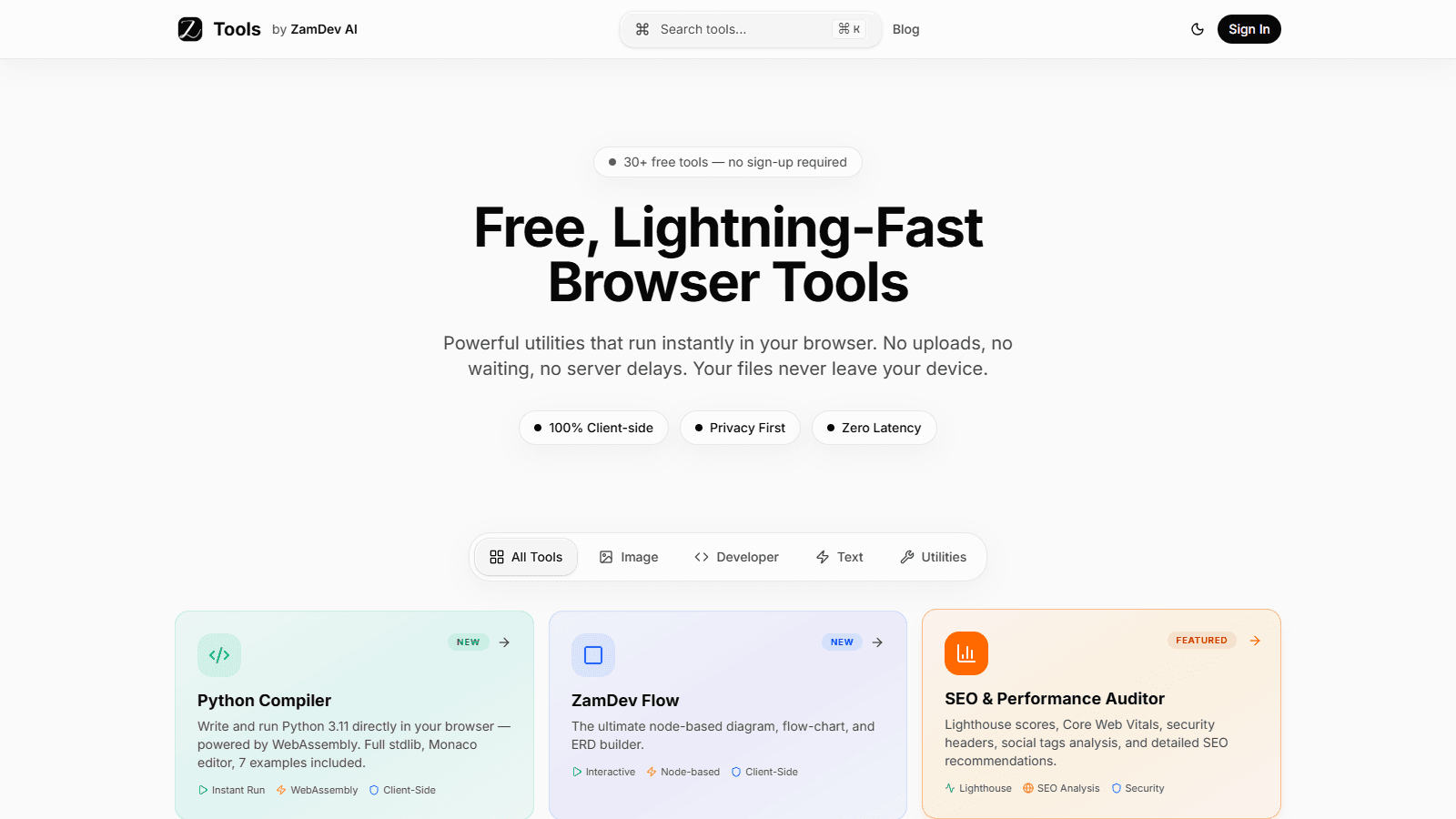
Unified tool discovery
Search, category filters, popular collections, and featured entries help users reach the right utility without navigating an unstructured directory.
Privacy-first browser utility platform
One searchable product surface for 30+ fast, private browser utilities.
A searchable platform of 30+ free browser tools across developer, image, text, SEO, and utility workflows, with client-side processing designed for privacy and speed.
Role
Product strategy, design, and engineering
Platform
Public browser tools platform
Delivered
2026
Evidence
Live product
01 / Context
People regularly need small developer, image, document, text, and SEO utilities, but many tool sites split those jobs across unrelated pages, require an account, or upload user data to a server. The product needed to make a growing catalog easy to discover while allowing sensitive work to stay on the user's device wherever the browser could perform it safely.
Delivered system outcome
The live platform brings more than 30 utilities into one searchable product with category filters, featured tools, a command palette, and consistent interaction patterns. Client-side browser APIs and WebAssembly power key workflows, including Python execution, image handling, cryptographic utilities, document operations, and interactive diagrams.
02 / Product scope
Each capability is tied to the public product scope. No commercial or adoption metric is inferred.
Search, category filters, popular collections, and featured entries help users reach the right utility without navigating an unstructured directory.
Tools use client-side browser capabilities where appropriate so files and working data do not need to leave the device for routine processing.
WebAssembly, Web Crypto, HTML5 Canvas, and other browser APIs support workflows such as Python execution, hashing, image transformation, and local generation.
Shared navigation, tool layouts, status labels, supporting content, and responsive behavior allow new utilities to join the catalog without becoming separate mini-sites.
03 / System flow
A user searches the catalog, opens the command palette, or filters by category.
The selected tool presents a task-specific input and a consistent product shell.
Files or data are processed with the appropriate client-side API or WebAssembly runtime where supported.
The result is previewed, copied, downloaded, or exported from the same workflow.
Related tools and educational content provide a route to the next task.
04 / Engineering
A Next.js product shell organizes the public catalog, tool routes, search, categories, and supporting content. Individual tools use browser-native APIs, WebAssembly, Web Crypto, and Canvas according to the task. The shared interface and discovery layer remain consistent while each tool owns its specialized processing logic.
Technology
Keeping suitable processing in the browser reduces upload latency and gives users a clearer privacy boundary for routine files and data.
Search, categories, popular groups, and shared tool patterns keep discovery usable as the number and variety of utilities expand.
WebAssembly, Web Crypto, Canvas, and native browser APIs sit behind task-specific interfaces instead of forcing every utility through one technical mechanism.
05 / Handoff
Build the next one
Share the product, current codebase, or core workflow. You will receive a direct technical response with the right next step.